
Your channels, your way.
bitsy TV is a friendly IPTV player for Roku. Add the service you already subscribe to and get a real TV guide, movies and shows, and a look that’s all yours.
Coming soon to the Roku Channel Store. bitsy TV doesn’t include any channels; you bring your own provider.
Everything you need, nothing you don’t
bitsy TV is built for the couch: big text, quick menus and a guide that feels like cable.
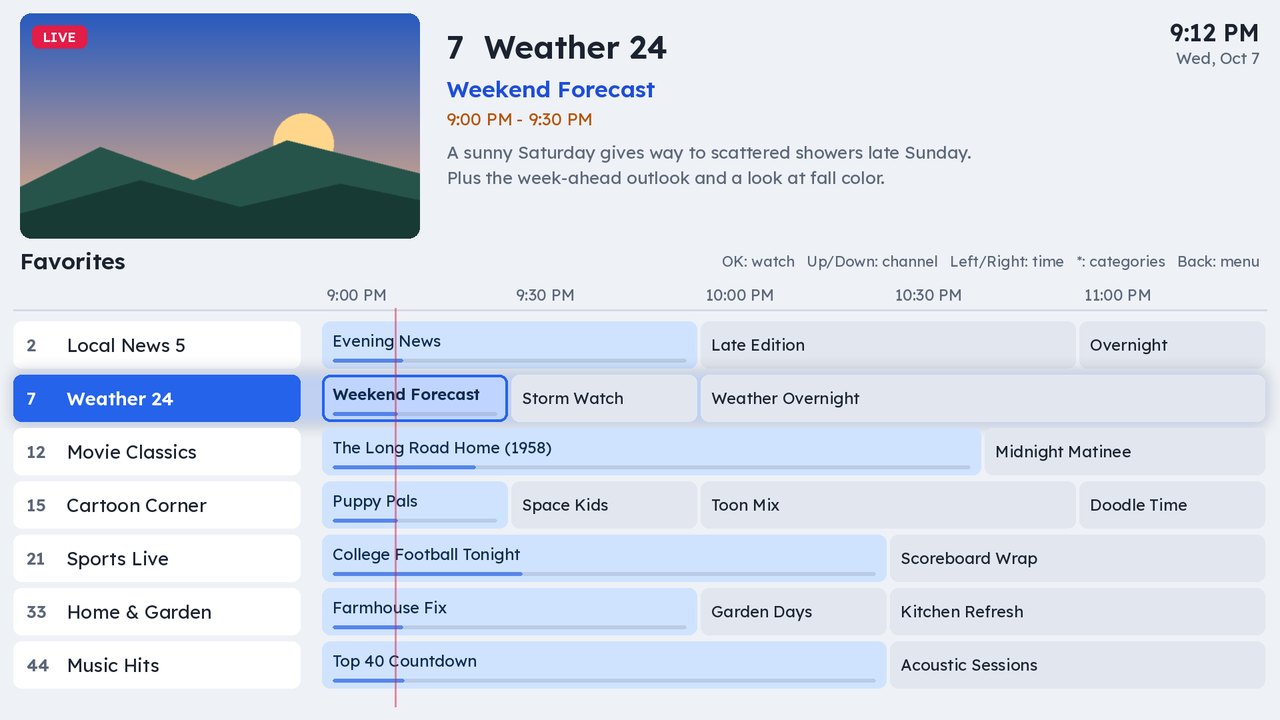
A real TV guide
Scroll a full channel-by-time grid with now-playing previews, favorites, channel surfing, and catch-up on providers that support it.
Movies & TV shows
Browse your provider’s movies and series by category, search fast, and see posters, years and descriptions.
Pick up where you left off
Continue Watching remembers your place in movies and episodes. You can switch it off or clear it any time.
Bring your own provider
Add up to 10 Xtream Codes accounts or M3U playlists, with optional XMLTV guide links, and switch between them in a couple of clicks.
14 themes
From the original charcoal and gold to bright Daylight, Neon Arcade and our own Violet, each with matching menus, guide and logo.
Built to be comfortable
Bigger text, bold text, reduced motion, longer messages, a High Contrast theme, and captions that turn on automatically when a stream has them.
Parental PIN
Lock adult categories behind a PIN of your choosing.
Favorites & resume
Star channels you love and have bitsy TV reopen the last channel you watched.
No ads, no tracking
No account with us, no ads, no analytics. Your logins and history stay on your Roku.
Make it yours
Pick a theme in Options → Appearance with a live preview. Menus, the guide, buttons and the logo all change to match.
Up and running in minutes
Add bitsy TV
Install it on your Roku. While we’re in beta, email us for an invite.
Add your provider
Open Options → Providers and enter your Xtream Codes login or M3U playlist link.
Press play
Open the TV Guide, browse Movies and TV Shows, and pick a theme you love.
Questions
Does bitsy TV come with channels?
No. bitsy TV is a player. It plays live TV, movies and shows from an IPTV service you already subscribe to. Please only use services you’re allowed to use where you live.
Which providers work?
Providers that use Xtream Codes logins, and plain M3U playlists. You can add an XMLTV link for the guide, and keep up to 10 providers.
Why don’t I see captions on a channel?
Live captions travel inside the video stream. bitsy TV turns them on automatically when a stream has them, but many providers don’t include them. Ask your provider which channels keep captions.
Is my information private?
Yes. Your logins, favorites and history stay on your Roku. We don’t run ads or tracking. Read the Privacy Policy.
How much does it cost?
bitsy TV is free while it’s in beta.
How do I get help?
Email TV@BitsyFarms.com. Including your bitsy TV version (Options → About) helps.

Metadata provided by TheTVDB. Please consider adding missing information or subscribing. TV show information from TVmaze, licensed CC BY-SA 4.0. Our test channel playlist uses public test streams, including Blender open movies courtesy of iReplay.tv.